School ERP Software vs Manual School Management: Which One Wins?
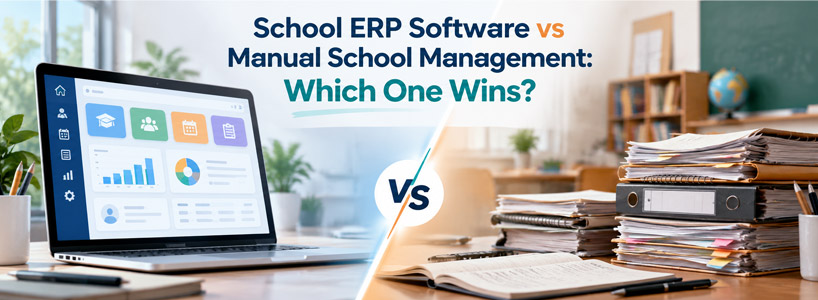
Talk to any School Principal, and they will tell you that teaching is not their biggest time consumer. It is paperwork. Attendance sheets, fee books, mark sheets, and admission bookings all require daily action. Schools were used to dealing with pens, files, and spreadsheets for decades. Nowadays, a lot of institutions have migrated to School ERP Software, and the migration is introducing a change in school/college/coaching institute functioning.
This publication outlines the differences between both approaches in terms accessible to you, so that you can determine which is right for your institution.
What Manual School Management Really Looks Like
Manual management translates to tasks that are paper-based or in an ad hoc spreadsheet. Attendance is recorded by the teacher in a register. The accounts clerk's fee receipts are manual. Admission forms are kept in the front office in steel cabinets. Parents are kept informed of holidays by diary notes and/or phone call.
It feels familiar, but the cracks show as the school grows.
- Duplicate entries: Lost faculty of admitting the same student again with the same address occurring in the Admission file, fee register and Examination register. There are three lies, one from even one word wrong.
- Timing: A note in the school bag will not be noticed until later on.
- Zero visibility: No principal has the visibility to determine how many fees are outstanding today without inquiring with the Accounts Office and counting them.
An illustration will make this clear with the help of a small example. There were 600 children in a school, 40 of whom were absent on Monday; the sheet is compiled by 12 o'clock and parents are informed of the absence, if they wish, by the children that evening. This system just CANNOT hit the fast-pass.
What Is School ERP Software?
School ERP Software is an integrated digital solution that brings admission, academic, attendance, fees management, exams, communication, staff and reporting into a single platform. ERP, which is Enterprise Resource Planning, is as simple as it is - all of the institution's resources are planned and can be tracked in one location.
The word is all about "connected. Any good School Management Software platform is not a collection of boxes (modules). A teacher can mark a student missing and the student record will update, and a notification will alert the parent, and attendance will be adjusted and reflected on the monthly attendance report. Nobody retypes anything.
Core Modules of School ERP Software
Manual vs School ERP Software: Area-by-Area Comparison
Admissions
Paper-based admission involves long forms, photocopies, and re-verification. Parents complete an online form with School ERP Software, upload documents and see the status of their application. On Approval, the system creates the student profile automatically and associates it with the appropriate class and fee structure. Not only does the office staff no longer have to re-enter the same information, but the overall reliability of preventive maintenance is also boosted.
Attendance and Student Records
Paper records require class time, and someone to collate them afterwards. Within an ERP, items having to deal with teacher attendance are marked in under a minute from a phone or tablet. Given that attendance is part of a child's records, there's a record of a child's attendance right next to their academic profile and low attendance is pointed out early.
Fee Management and Accounting
Manual systems tend to be most sensitive during fee season. Queues, handwritten receipts and late-night reconciliation are commonplace. Using a School Management Software system, an invoice is automatically created from every student's fee structure (sibling discounts, or transport fees, for example). Cainstores accepts online payments, and the receipts are instantly issued to the parent.
The real benefits are the connections with accounting. Each payment automatically debits the relevant ledger, which therefore means that the accountant doesn't need to re-enter amounts at month-end.
Examinations and Report Cards
By using the School ERP Software, a teacher enters the marks only once. The examination module is used for manually calculating totals, percentages, grades and ranks based on the school's grading rules. Report cards are created with the same data, thus avoiding the need for (and potential error of) copying information from the mark sheet to the certificate. Students' results are available in real-time for parents to access on the app when published by the school.
Parent Communication and Administration
Manual communication is based on diaries, phone calls and meetings. This School ERP Software enables the administration of schools to send one SMS to all parents, one class, or a single family. It's the same channel for fee reminders, exam schedules, event notices and absence alerts. All messages are recorded.
Side-by-Side Snapshot
A Day in the Life: Exam Result Season
Consider a school with 800 students, ending its term.
The "old-fashioned" method: Teachers enter marks on teachers' personal notebooks, add up total marks using a calculator, and submit paper to office. The numbers are transcribed by the clerks to their printed report cards. Each one is checked and signed by the principal. If a section of the card is incorrect (in one category), rewrite the card. It can take 2-3 weeks for the entire process to be completed.
In school ERP Software: Marks are entered directly by the teacher in the examination module. There is an automatic grade and ranking system. Report cards are created using a report card template, sent to the principal for review and published. They are shown to parents on the same day via cell phone.
Same teachers, same students. Only the system changed.
Why Schools Are Choosing School Management Software
Beyond saving time, there are deeper reasons institutions are making the switch.
- Removing confusion and disputes: One source of truth - Every department accesses the same data.
- Enrollment, attendance trends, fee collection and academic performance are displayed in real time through dashboards, which help to make better decisions.
Cost: The Hidden Side of Manual Work
Manual Management appears to be cheaper than electronic management, as registers are inexpensive. But the true costs occur in areas that no one monitors: time spent multiple times; printing, reprinting, error correction; and money that was lost due to uncollected fees because reminders were not sent.
There is a cost for setup, training and data migration for School ERP Software. However, most institutions see this saving in administrative time and improved fee recovery, which means it is worth their while.
Challenges to Plan For
No change comes without friction, and it is better to be prepared.
- Staff adjustment: There will be some teachers and clerks who are making some adjustments for them to become comfortable. Six to 10 minutes of brief training based on roles is very helpful.
- Data migration: Old data has to be scrubbed as well as validated before it is imported. Working backwards is good, beginning with current students.
- Phased rollout: first attendance and fees and later examinations and communication, after the team's confidence.
Which One Wins?
With School ERP Software, almost every institution (apart from the smallest) wins. It is quicker, more precise and more transparent and provides leaders with more clarity than manual methods ever could. Such a very small school may get along on paper for some time, but when growth is reached, the necessities will be revealed.
It is important to remember that School ERP Software isn't a substitute for teachers and administrators. It frees up time for doing repetitive tasks so they can dedicate time to teaching, mentoring and connecting with families.
Conclusion
Although manual systems have been useful to schools over the years, school institutions today have more students and expectations, and students are less tolerant of delays. To cater to these pressures, School ERP Software links attendance to student records, fees to accounting, examinations to report cards, and parents to administration all in one reliable system.
So before you begin the next admission season, the best time to start checking out a modern School Management Software system solution is not after. One should select a platform appropriate to the structure, build it up incrementally, educate personnel and let it take care of the tedious tasks, one step at a time.
Frequently Asked Questions
1. Is School ERP Software difficult for non-technical staff to use?
No. Most platforms are designed with simple screens and role-based access. Teachers usually learn attendance and marks entry within a few days of training.
2. Can small schools and coaching institutes use School Management Software?
Yes. Flexible plans let smaller institutions start with core modules such as attendance, fees, and communication, and add others as they grow.
3. How long does implementation take?
With School ERP Software, basic setup often takes a few weeks, depending on how much data needs to be migrated. A phased rollout helps teams adapt without disruption.
4. Is student data safe in the software?
Reliable platforms use encrypted storage, regular backups, and permission-based access, so each user only sees the information relevant to their role.
5. How does the software help with fee collection?
It automates invoices, sends reminders before due dates, accepts online payments, and posts every transaction to accounting, which reduces delays and defaulters.
Add a Comment
Your email address will not be published. Required fields are marked *
Categories
Popular Posts
![School ERP Software vs Manual School Management: Which One Wins? [thumb]](https://blogimages.weblink.in/school-erp-software-vs-manual-school-management-which-one-wins-350x128.jpg)
School ERP Software vs Manual School Management: Which One Wins?
 Nisha
Nisha Oct 30, 2026
![25 Features Every Modern School ERP Software Must Have [thumb]](https://blogimages.weblink.in/25-features-every-modern-school-erp-software-must-have-350x128.jpg)
25 Features Every Modern School ERP Software Must Have
![Complete School ERP Software Checklist Before Buying in 2026 [thumb]](https://blogimages.weblink.in/complete-school-erp-software-checklist-before-buying-in-2026-350x128.jpg)